Calendly
Guide interested visitors to your booking page to choose a date and time and confirm their appointment.
Integration by arrangementProduct features
Parev AI brings your company’s knowledge into the conversation. Visitors can explain what they need, explore relevant services and choose to contact your team. You manage the sources, the guidance and the limits behind that experience.
Let’s explore your website01 / PAREV AI
Voice and text work in the same website widget. Visitors can talk when typing is inconvenient or use text in a shared office, on a train or whenever they prefer. Voice needs a compatible browser and microphone permission; text needs no microphone.
02 / PAREV AI
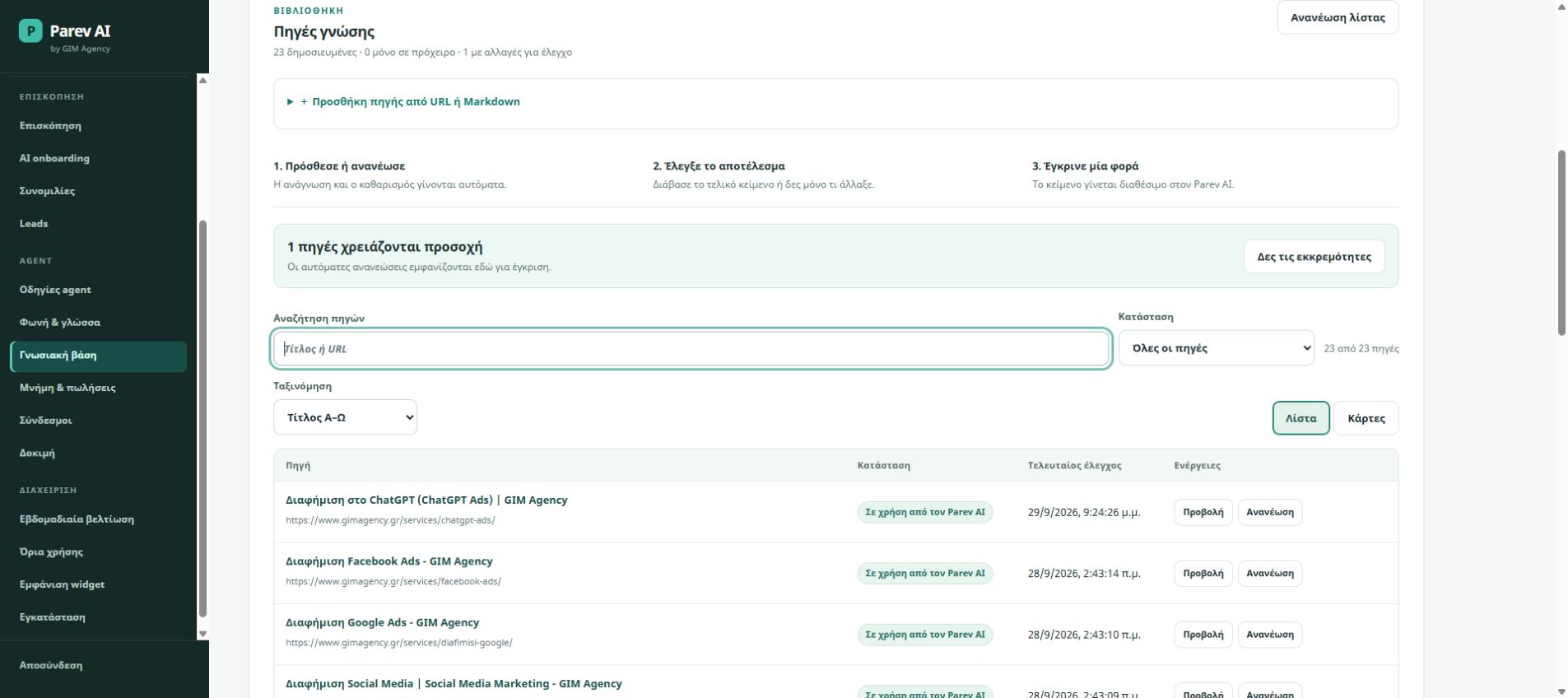
Discover pages from a sitemap, add selected URLs or supply Markdown. Review the cleaned content, edit it and approve the sources you want Parev AI to use. Updated pages can be checked again, with changes reviewed before they replace published knowledge.
03 / PAREV AI
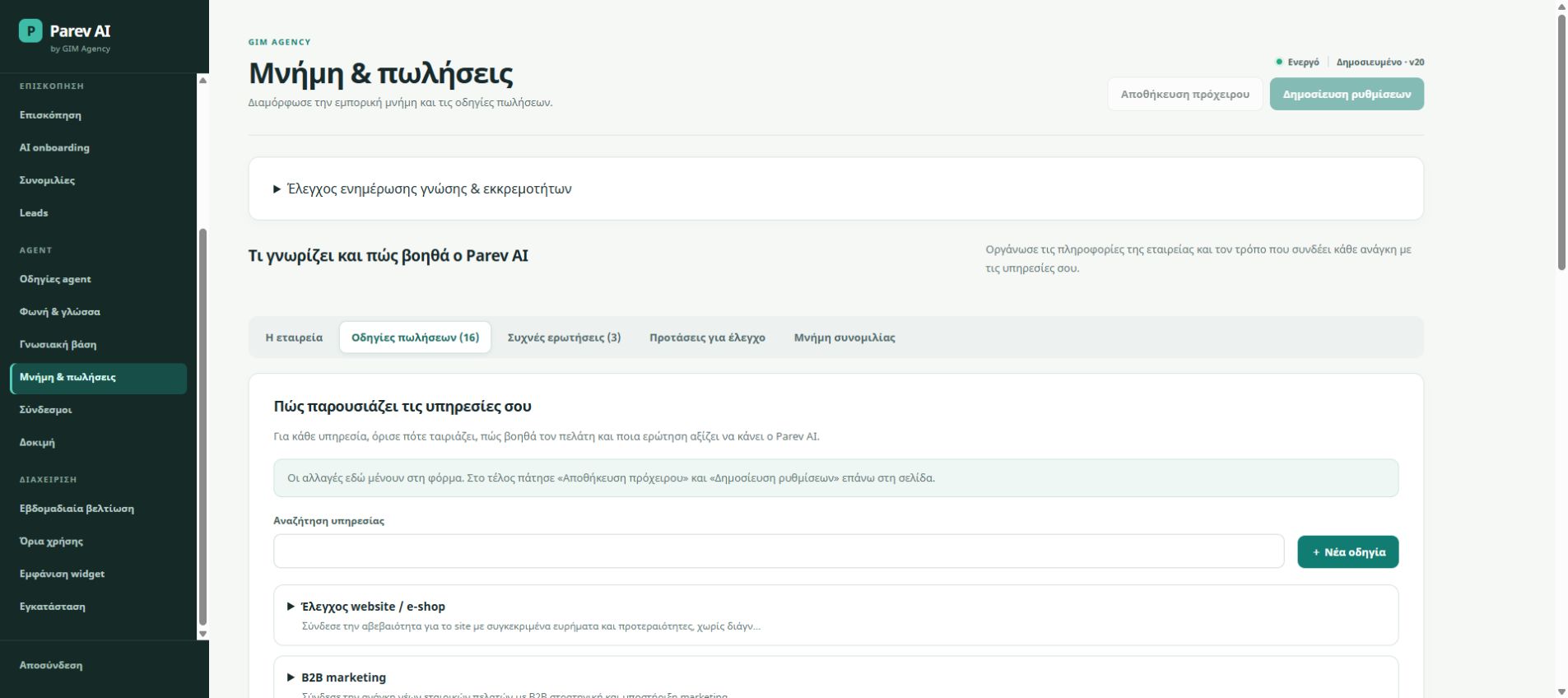
Service-specific sales playbooks describe who a service suits, how it helps and which question should come next. Alongside FAQs and approved sources, they give the assistant a practical way to explore needs and explain your offer.
04 / PAREV AI
When a visitor wants to continue, Parev AI can offer a name and mobile number form within the conversation. Your configured team receives an email notification, while the lead record keeps the page of origin and relevant attribution information.
05 / PAREV AI
Review text conversations and transcripts of voice conversations to see where visitors need more help. The scheduled weekly review produces findings and suggestions for your team to assess. People decide which knowledge or instructions change.
06 / PAREV AI
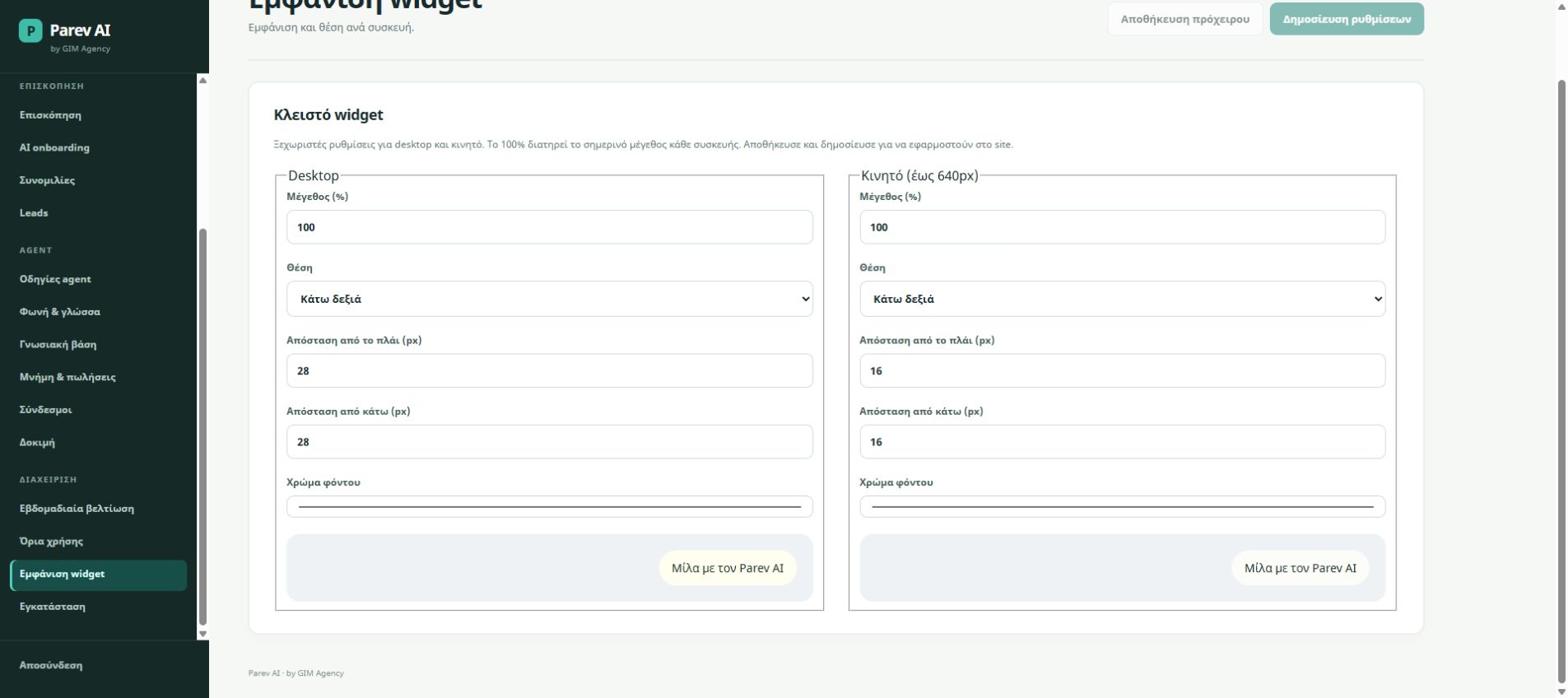
A shared workspace keeps each site’s knowledge, instructions, conversations and leads separate. Set voice and text usage limits and adjust the closed widget’s size, position, spacing and background colour for desktop and mobile.
BEYOND THE CONVERSATION
Plan the path from a conversation to an appointment and your CRM, with the integrations your team needs.
Guide interested visitors to your booking page to choose a date and time and confirm their appointment.
Integration by arrangementPlan lead delivery into your CRM with the agreed contact details and context, so your sales team can continue the conversation.
Integration by arrangementThese are not yet built-in, one-click connectors. Scope, required accounts and implementation are agreed before activation.
Discuss your integration ↗THE NEXT STEP
Share your website and the questions visitors ask. We will use those needs to guide a Parev AI demo.
Request a demo